

JILI777 App – Play, Win, and Earn Anytime on Mobile
Looking to enjoy Jili777 on your mobile device? This simple guide walks you through how to download and install the Jili777 App on both Android and iOS. Follow these easy steps to set it up smoothly, explore the key advantages of using the app, and find quick solutions to common installation problems.
How to Download the Jili777 App on iOS
For iOS users, installing the Jili777 App takes just a few simple steps to ensure a smooth and secure setup. Follow the instructions below to download and install the app safely on your iPhone or iPad and start enjoying your favorite games anytime.
Step 1: Scan the QR Code to Download the App
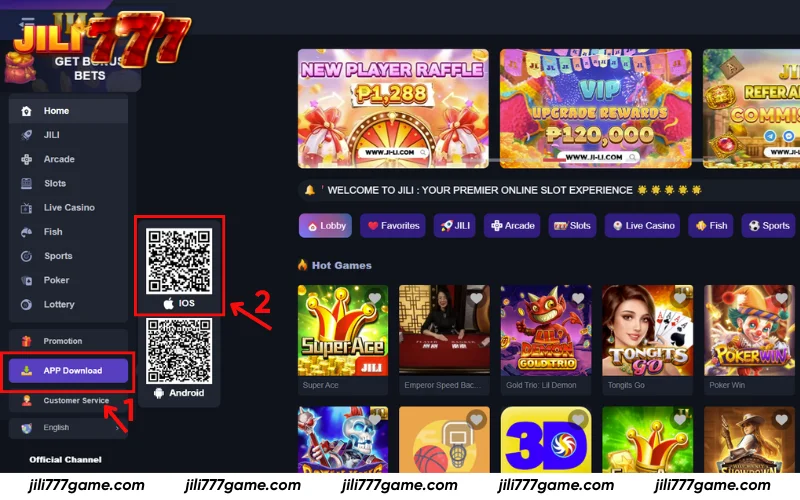
From the Jili777 homepage, you don’t need to log in to start downloading. Simply go to the App Download section on the left menu. You’ll see two QR codes, one for iOS and one for Android. Use your phone’s camera to scan the iOS QR code, and the system will automatically redirect you to begin the download.
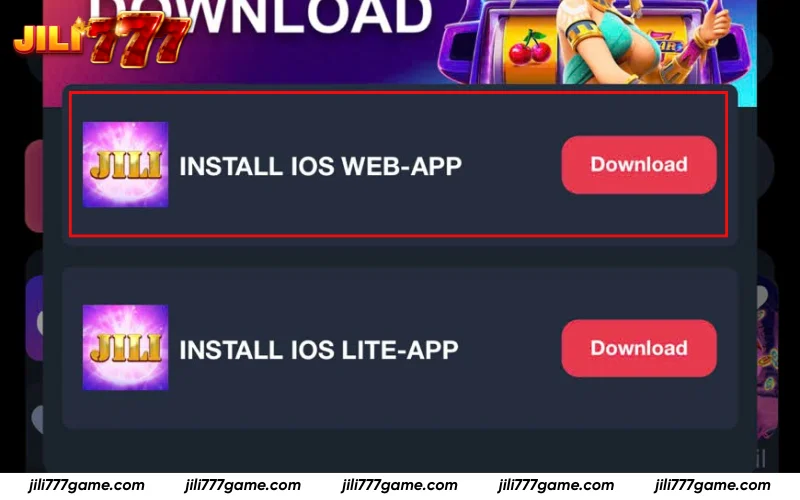
If you’re using your smartphone, once you reach the App Download page on Jili777, you’ll see two options available: INSTALL iOS WEB-APP and INSTALL iOS LITE-APP. Choose the version that suits your device and tap the red Download button to begin installation instantly.
Step 2: Add Jili777 App to Your Home Screen
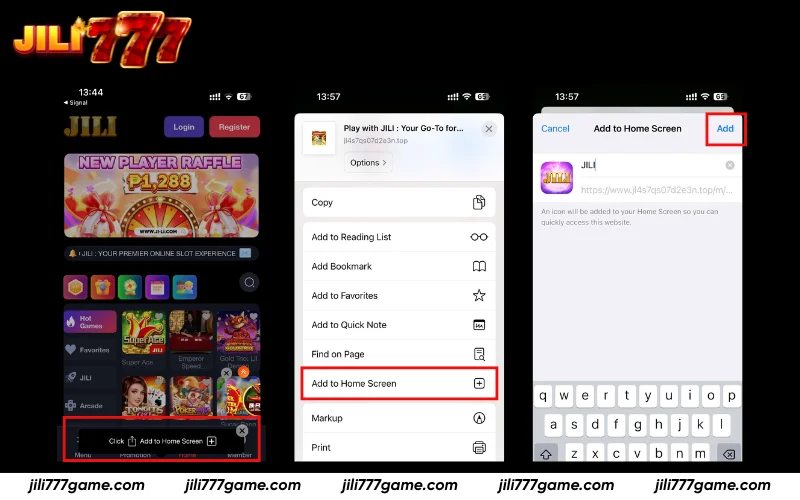
When the “Play with JILI” page appears on your iPhone, follow these simple instructions to install the Jili777 App directly on your device:
- On the bottom of the Safari browser, tap the Share icon (square with an upward arrow).
- Scroll down and select “Add to Home Screen.”
- The JILI App icon and name will appear. You can rename it (for example “Jili777 App”) if you like.
- Tap Add in the top-right corner to confirm.
After this, the Jili777 App will appear on your iPhone’s Home Screen. You can open it anytime like a regular app, quick and convenient, without needing Safari.
Installing the Jili777 App on Android
The process for Android users is straightforward and similar to iOS. Simply visit the official homepage, open the App Download section, and follow the on-screen guide to complete the setup.
Step 1: Download the Android Version
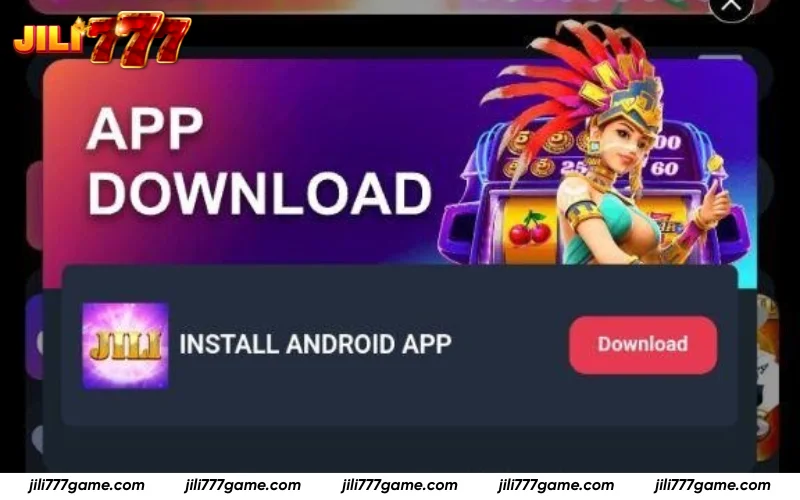
On the Jili777 homepage, scroll to the App Download area where you’ll see the Install Android App option. Tap the Download button beside it to start the installation. Your device will automatically download the app file, which can then be opened to finalize installation.
Step 2: File Download Confirmation
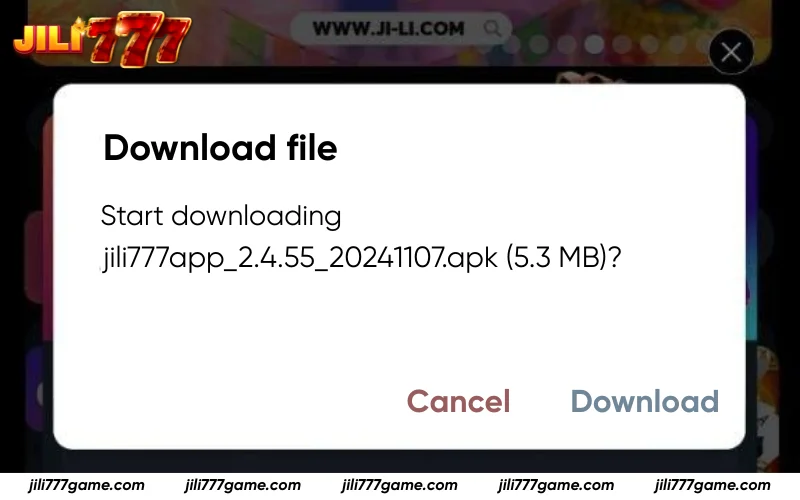
When the system finishes preparing the installation package, a download window will automatically appear on your screen. You will see a prompt titled “Download file” showing the file name (e.g., jili777app_2.4.55_20241107.apk) along with its size.
Simply tap “Download” to begin saving the file, or choose “Cancel” if you wish to stop the process. Once downloaded, the APK file will be ready for installation in your device’s file manager.
Fixing Jili777 App Installation Problems
Sometimes users may face minor issues during or after installing the Jili777 App. These problems are typically easy to resolve by following a few quick steps below.
- Slow download speed: Ensure your Wi-Fi or mobile data is stable. If the issue persists, try pausing and resuming the download or switching to another network.
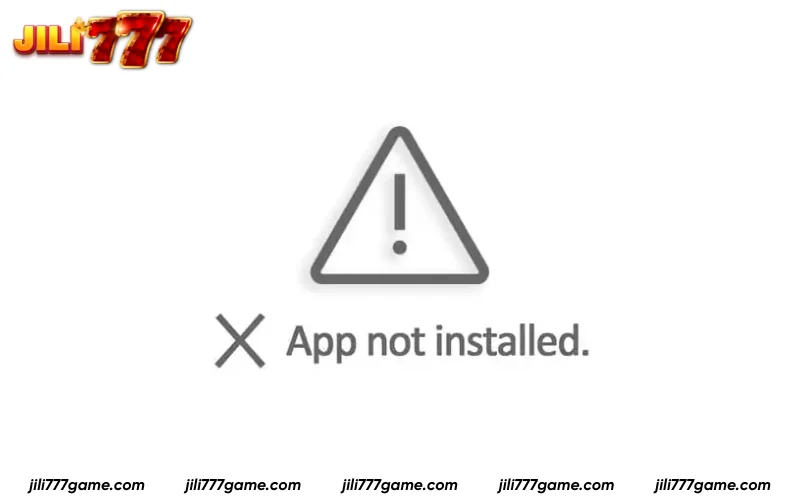
- App won’t install: Confirm your device has enough available storage. Delete any incomplete or older Jili777 files before reattempting installation.
- Installation blocked: Go to your phone’s settings, navigate to Security, and enable “Install from unknown sources” to allow APK setup.
- File download interrupted: If your browser crashes or the screen locks during download, reopen the Jili777 site and restart the process.
- App not opening properly: Clear the app cache, restart your phone, and reopen the app to refresh system memory.
- Update issues: Uninstall the current version before downloading the newest release from the official Jili777 page.
- Display or loading errors: Make sure your device’s system software is updated. Outdated OS versions may prevent proper app performance.
FAQs about Jili777 App
Below are common questions to help users understand more about the app’s installation, usage, and performance on different devices.
Is it safe to install the app?
Yes. The installation file is fully verified and encrypted to prevent any security risks. It doesn’t require unnecessary permissions and complies with international data protection standards.
Can I install it without deleting the old version?
No. It’s recommended to uninstall the older version first. This ensures smooth performance, prevents system conflicts, and allows the app to run using the latest optimized files.
Does the app need internet access to work?
Yes. A stable connection is required for login, live updates, and gaming features. Without an internet connection, users can’t access real-time bets or promotional events.
How much space does the app require?
You’ll need approximately 100 – 150 MB of free space. However, having extra storage helps the app perform faster, especially when downloading updates or additional game files.
Can I enable notifications for new games and updates?
Yes. You can turn on notifications in your device settings after installation. This allows you to receive alerts about new games, app updates, and limited-time bonuses instantly.
Conclusion
The Jili777 App gives players a convenient, secure, and optimized way to enjoy casino gaming anytime. With a smooth installation process on both iOS and Android, users can access hundreds of games, quick transactions, and exclusive bonuses. Follow the installation guide from Jili777 to start your safe and seamless gaming experience today.